
Write Python
Syntax highlighting, automatic indentation and code completion, with editor customisation and themes.
Python Editor for iPhone & iPad
Python Editor App is a separate app for iPhone and iPad: write Python 3, run it and read the output on the same screen. It is free to download, with in-app purchases.
Free download · In-app purchases · iOS 17.6 or later
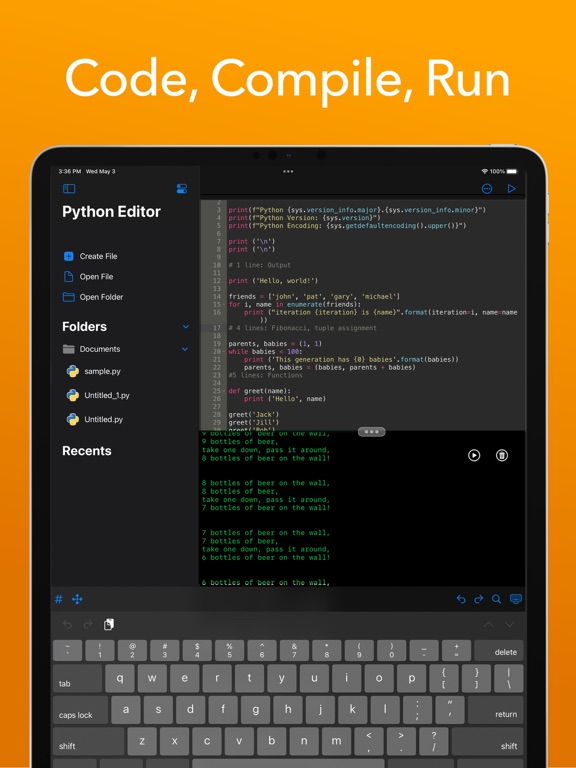
From the App Store listing
These are the features the App Store listing describes. The rest of this site documents the Mac app; the mobile app keeps its own release notes on the App Store.
Syntax highlighting, automatic indentation and code completion, with editor customisation and themes.
A built-in library of reusable snippets to start from, or to save your own into.
Split the screen to see code and console at once, use multiple windows, and keep scripts running in the background while you do something else.
AI-powered suggestions in the editor, with DeepSeek integration using your own API key.
A Python guidebook and learning resources inside the app.
Check the App Store listing for the current version, requirements and purchase options.
Code and results together
The editor and the console share the screen, so you can run what you just typed and look at the result without leaving the app.
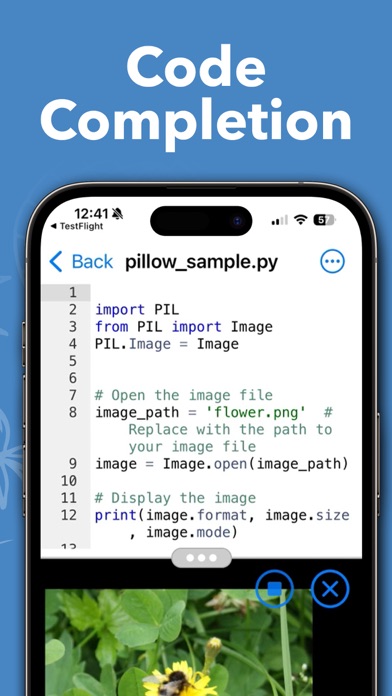
A separate app from the Mac one
Python Editor App for iPhone and iPad and Py Editor for Mac are separate products, with separate downloads and purchases. Projects are not shared between them, and the Mac tools described elsewhere on this site — Git, the Terminal, debugging, tests — are Mac features.
Download Python Editor App from the App Store and write your first script on the device you carry.