Python included
Use the bundled Python 3.13 runtime to run scripts without a separate Python installation. Choose a project environment when you need your own dependencies.
Py Editor for Windows
Write a script, run it and explore the result in a native WinUI 3 workspace. Start with a worked project or bring your own Python files.
Windows 10/11 · Intel and AMD x64/x86 · ARM64
A project in action
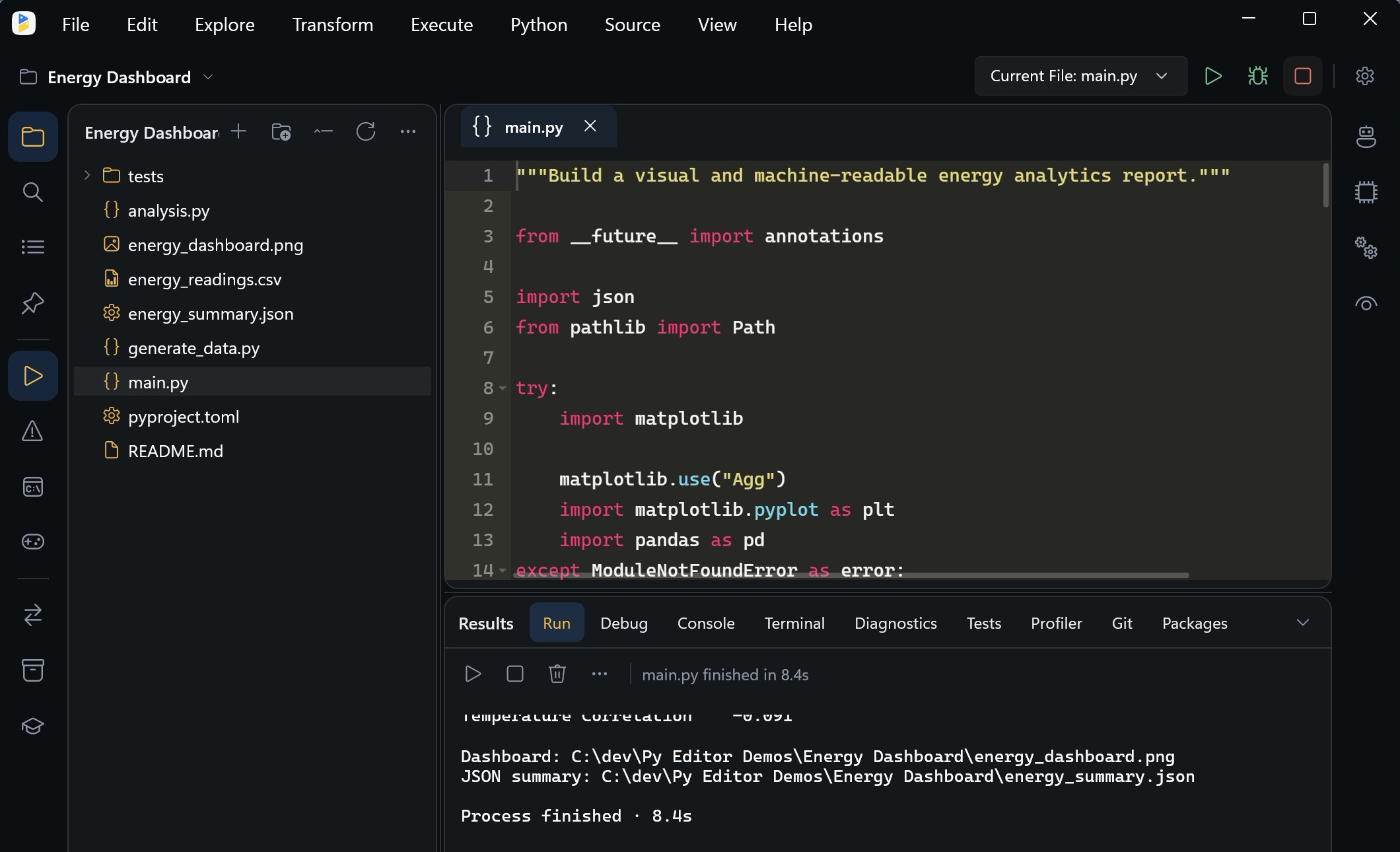
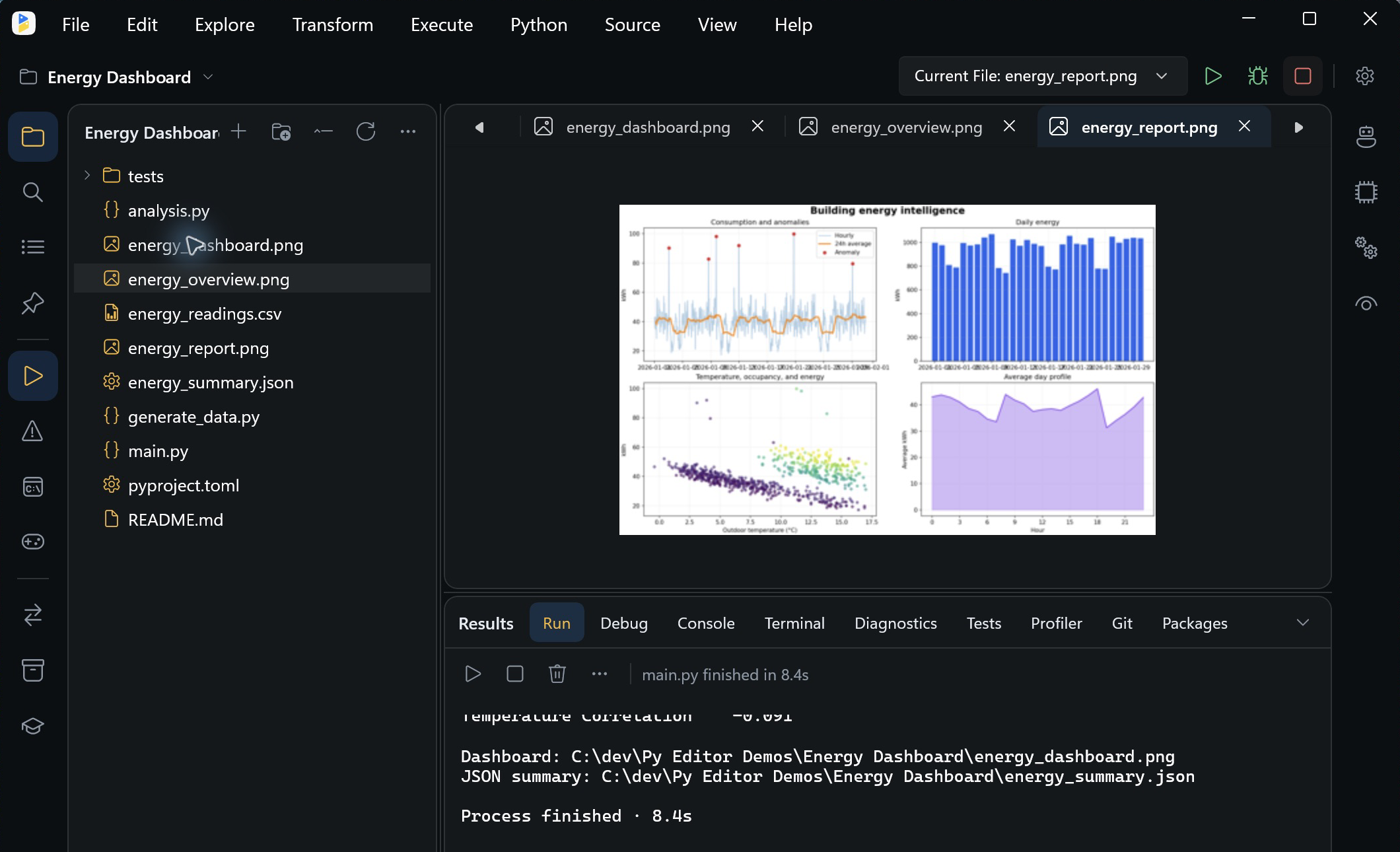
The Energy Dashboard example turns hourly readings into a chart and a JSON summary.
Use the bundled Python 3.13 runtime to run scripts without a separate Python installation. Choose a project environment when you need your own dependencies.
Keep files, source and execution output together. Bundled examples provide working code you can change and run.
On x64 and ARM64, use NumPy, pandas and Matplotlib to read data, calculate summaries and create charts.
See the result
Open generated images in the workspace, then inspect the numbers behind them in the JSON result.
Choose your Windows PC
| Architecture | PCs | Scientific libraries |
|---|---|---|
| x64 | 64-bit Intel and AMD | NumPy, pandas and Matplotlib included |
| ARM64 | Windows on ARM | NumPy, pandas and Matplotlib included |
| x86 | 32-bit Intel and AMD | NumPy included; pandas and Matplotlib are not bundled |
Requires Windows 10 version 2004 or later, or Windows 11. Windows 7 and 8 are not supported.
Download Py Editor for Windows
Free download with Python and the WinUI runtime included. Choose the build that matches your Windows PC.
Most Intel & AMD PCs
For 64-bit Windows on Intel and AMD processors.
Download x64 ZIPWindows on ARM
For PCs with ARM processors.
Download ARM64 ZIP32-bit PCs
For 32-bit Windows. NumPy is included; pandas and Matplotlib are not bundled.
Download x86 ZIPVersion 27.0.3 · Portable ZIP downloads · Windows 10/11
Extract all files into a folder, then open PyEditor.exe. Keep the extracted files together.
Before you start
No. All three downloads include the WinUI runtime. Open Py Editor on a supported Windows 10 or Windows 11 PC without installing WinUI separately. x64, ARM64 and x86 identify the processor architecture; each build uses the same WinUI interface.
Open Settings → System → About in Windows and check System type under Device specifications. Choose x64 for 64-bit Windows on an Intel or AMD PC, ARM64 for Windows on ARM, or x86 for 32-bit Windows. Help identifying your Windows version.
Yes. The Windows application is digitally signed by Andromeda Corp Limited using Azure Artifact Signing.
The app includes Python. You can also select your own interpreter or create a project .venv for additional packages. Installing packages requires an internet connection.
The bundled PyTorch projects need an interpreter with compatible PyTorch packages. The Windows ARM64 bundled Python and the x86 edition do not support those projects.
Core editing and the bundled Python runtime work offline. Package downloads and cloud AI services require internet access.
Use a local Ollama model or your own Anthropic or Google Gemini API credentials. External AI services may charge separately.