Python Basics — six lessons
Output and variables, conditions, loops, functions, collections, and files and errors. Mark each one complete and the panel keeps your count.
See how lessons work →Learn by working with code
Six lessons, eight example scripts, seven short guides and a 31-chapter Python book sit in the Learn panel, and twelve worked projects wait in the launcher. Run one, change a line and see what moves.
Inside the app
Click Learn in the left rail. Three groups open beside your code, and the Python book opens in a window of its own.
Output and variables, conditions, loops, functions, collections, and files and errors. Mark each one complete and the panel keeps your count.
See how lessons work →Getting Started, NumPy Basics, pandas DataFrames, Web Requests, Web Scraping, Installing Packages, REPL Interactive and Interactive Input.
Open an example script →Short guides to creating a project, finding files, running a file, the Python Console, installing Helper, installing packages and project settings. Each one opens the panel it describes.
Find the material you need →General Python material from an introduction through data analysis, testing and asynchronous code, with full-text search.
Read the Python book →Learn opens an editable copy of a script, which is not necessarily a file inside the current project. Some later book chapters use libraries that are not bundled.
Twelve projects, already installed
Each project is a folder with a README, source and tests. Open it from the project launcher, read it, change a part and run it again.
A small multi-file project with five tests that walks through Run, the Python Console and input(). Standard library only.
Personal Greeting, Guess the Number, Python Quiz, Expense Tracker and Grade Analysis. Standard library only, so they run as soon as the app is installed.
Energy Data Dashboard draws a PNG dashboard with pandas, NumPy and Matplotlib. Smart Document Search builds an offline index over Markdown and text files using only the standard library.
Mac Desktop Studio (PySide6), AI Neural Network and AI Vision Lab (PyTorch) and Local API Service (FastAPI) each need the free Helper and a project environment. The two PyTorch projects download a few hundred megabytes the first time.
A Python app with a real interface
Mac Desktop Studio opens Focus Studio, a task list and 25-minute timer built with PySide6. Add a task, start the timer and explore how the Python code handles each action.
Needs the free Helper and a project environment for PySide6. Follow the setup guide.
Open the desktop app walkthrough →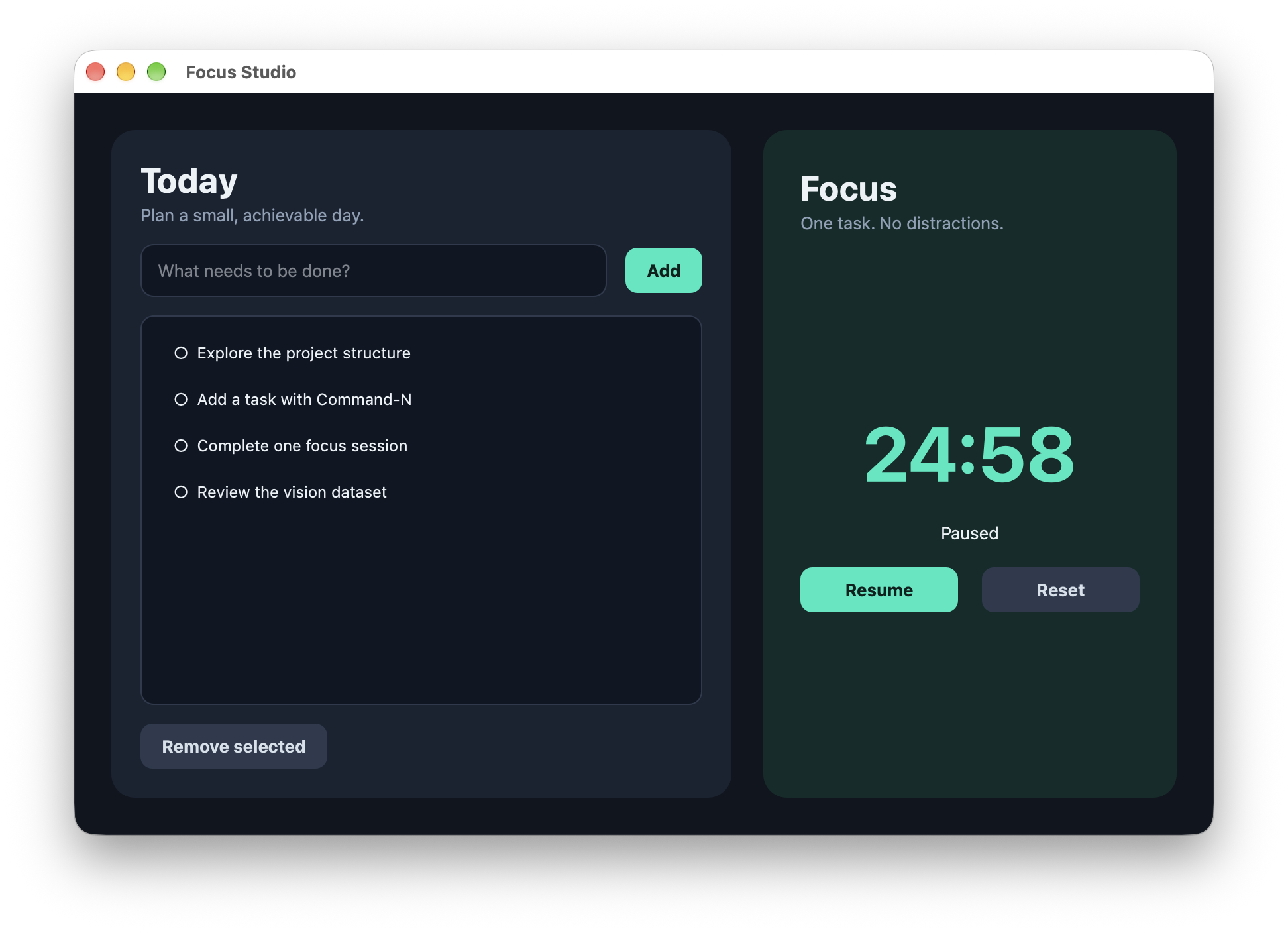
AI Vision Lab
Explore dataset creation, a small image classifier and a training run. Read the output, inspect the model code and open its generated report.
Needs the free Helper and a project environment. Installing PyTorch downloads a few hundred megabytes the first time. Follow the setup guide.
Follow the image-classification example →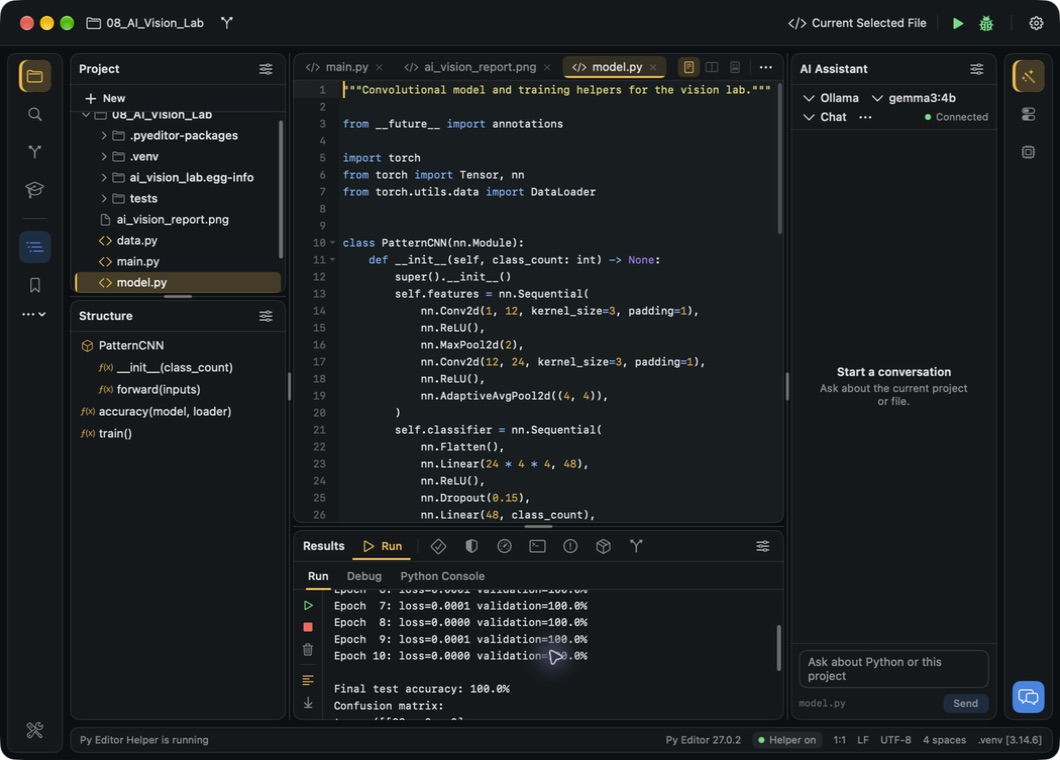
New to Python?
This script adds three prices. Run it, change one number and predict what the new total will be.
It uses standard Python, so you can try it on Mac, iPhone or iPad.
Create a Mac project →first_total.py
prices = [12, 8, 10]
total = sum(prices)
print("Your total is:")
print(total)Choose your next step
Open a bundled Mac lesson on arrays, tables or web requests and change its inputs.
Explore the included lessons →Point the assistant at the file in front of you and ask what a function does. Use a local Ollama model, Apple Intelligence on macOS 26 or later, or your own Gemini or Anthropic key.
Explore AI assistance →Group a few records, calculate totals and try the same operation on your own CSV.
Try the pandas example →Use the illustrated manual to find a panel, configure a project or follow a complete task.
Read the user manual →On iPhone & iPad
Use the mobile guidebook and learning resources alongside scripts you can edit and run. Save useful pieces as snippets for the next exercise.
In-app purchases. A subscription unlocks the full mobile experience.
Explore learning on mobile →The free Mac download includes the editor and bundled example projects.