Train and evaluate the AI Vision Lab example
AI Vision Lab is a bundled project that generates its own images, trains a small image classifier on them and writes a visual report. Everything runs on your Mac, with no dataset to download and no AI account.
The project uses PyTorch, NumPy and Matplotlib, so it needs Py Editor Helper and a project environment. Set those up first with Set up Helper, a project environment, packages and services.
1. Open the example and prepare it
- Choose File → Recent Projects → 08_AI_Vision_Lab.
- Select main.py in Project.
- If the status bar says Project .venv not created, click it and wait for the environment to be created.
- Leave the run configuration at Current Selected File.
- Click the run button in the toolbar.
- If Run reports missing project dependencies, click Install Dependencies and wait for the confirmation that the project is ready.
Installing the packages downloads a few hundred megabytes the first time.
2. Train the model
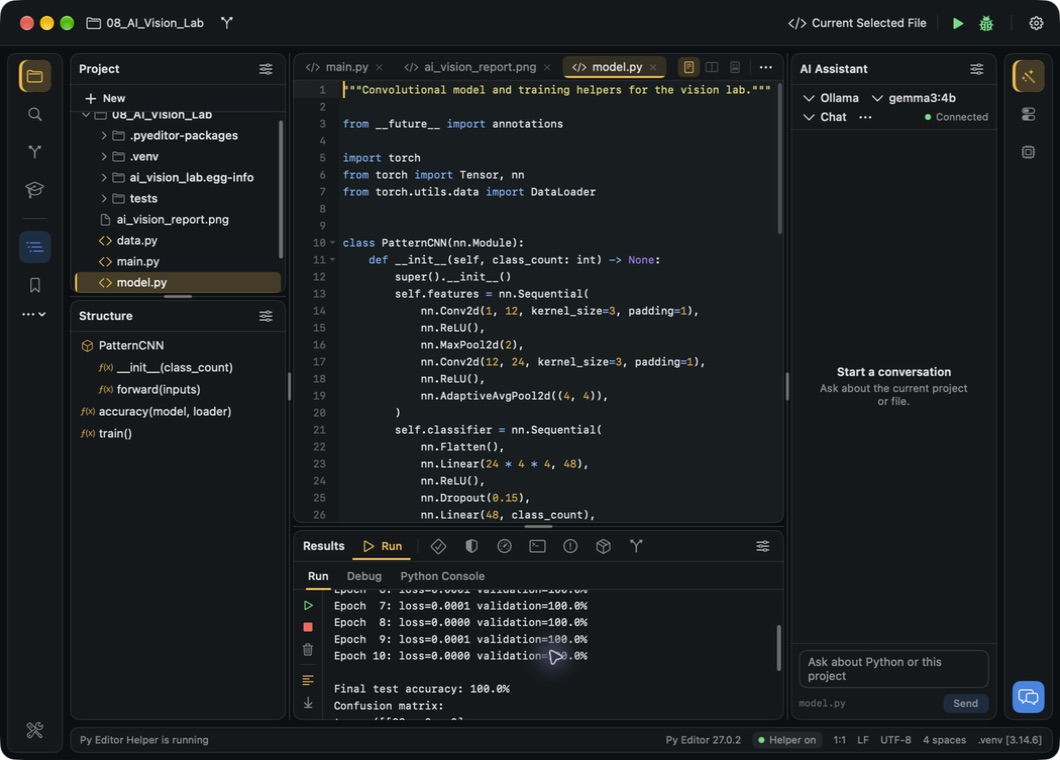
- Select main.py again and click the run button.
- Watch the ten training epochs in Run.
- Read the final test accuracy and the confusion matrix at the end of the output.
 Open the screenshot to view it at full size.
Training takes a minute or two. To stop early, click the stop button in the toolbar; the report file then belongs to an earlier run, not this one.
The accuracy you see describes this small generated dataset. It is not a benchmark for real photographs.
3. Open the visual report
- Right-click the 08_AI_Vision_Lab folder in Project and choose Reload from Disk so the new file appears.
- Right-click ai_vision_report.png and choose Open In → Finder.
- With the file selected in Finder, press Command-O to open it in Preview.
 Open the screenshot to view it at full size.
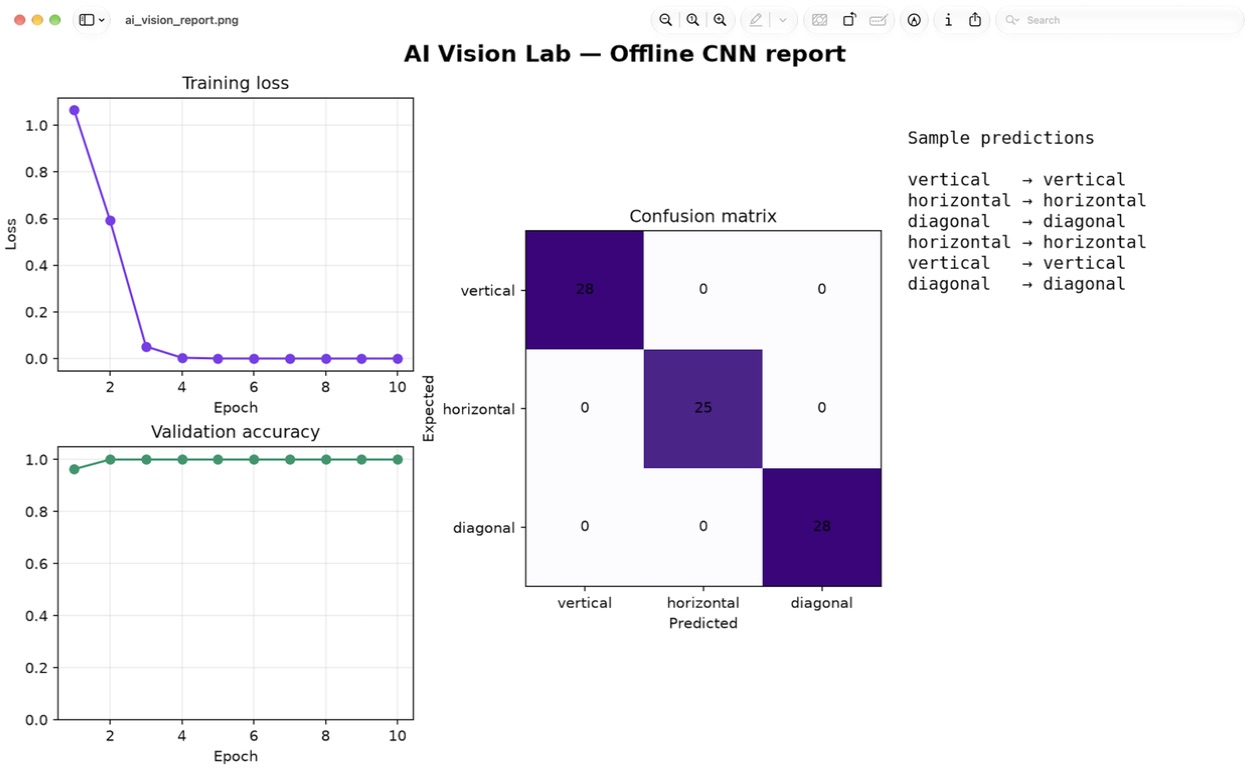
4. Read the four panels
- Training loss — how the training error changed across the epochs.
- Validation accuracy — the share of validation patterns classified correctly.
- Confusion matrix — expected classes are rows, predicted classes are columns; the diagonal holds the correct predictions.
- Sample predictions — a few images with their expected and predicted labels.
Next steps
Keep the example unchanged for your first run. Then open data.py to see how the
patterns are generated and model.py for the classifier and its training loop.