Run a Mac desktop app: Focus Studio
Mac Desktop Studio is a bundled Python project that builds a real Mac interface with PySide6. Running it opens Focus Studio, a separate window with a task list and a 25-minute timer.
Focus Studio is a window created by the Python program, not a Py Editor panel. The project needs Py Editor Helper and a project environment; set those up with Set up Helper, a project environment, packages and services.
1. Start the example
- Open Mac Desktop Studio from the project launcher.
- Select
main.py. - If the status bar says Project .venv not created, click it and wait for the environment to be created.
- Open the Helper setup sheet from the status bar. If it lists
PySide6as missing, choose Install Dependencies and wait for Ready to Run, then choose Done. - Click the run button in the toolbar.
- Find the new window titled Focus Studio.
It has Today on the left, with a task field, Add, the task list and Remove selected; and Focus on the right, with the countdown, its status, Start and Reset.
If Run reports that project dependencies are missing, the window never opened: finish the setup above instead of running the file again.
2. Add a task
- Click the task field.
- Type
Plan the vision dataset. - Click Add, or press Return.
The field empties and the task appears at the bottom of Today.
3. Complete it and change it back
- Double-click the task. Its circle becomes a check mark and the title is crossed out.
- Double-click it again to return it to incomplete.
Completing a task does not start the timer.
4. Run a focus session
- Click Start and watch the countdown fall below 25:00.
- Click Pause. The value stops and the status reads Paused.
- Click Resume to continue.
- Click Reset to return to 25:00 when you want to discard the remaining time.
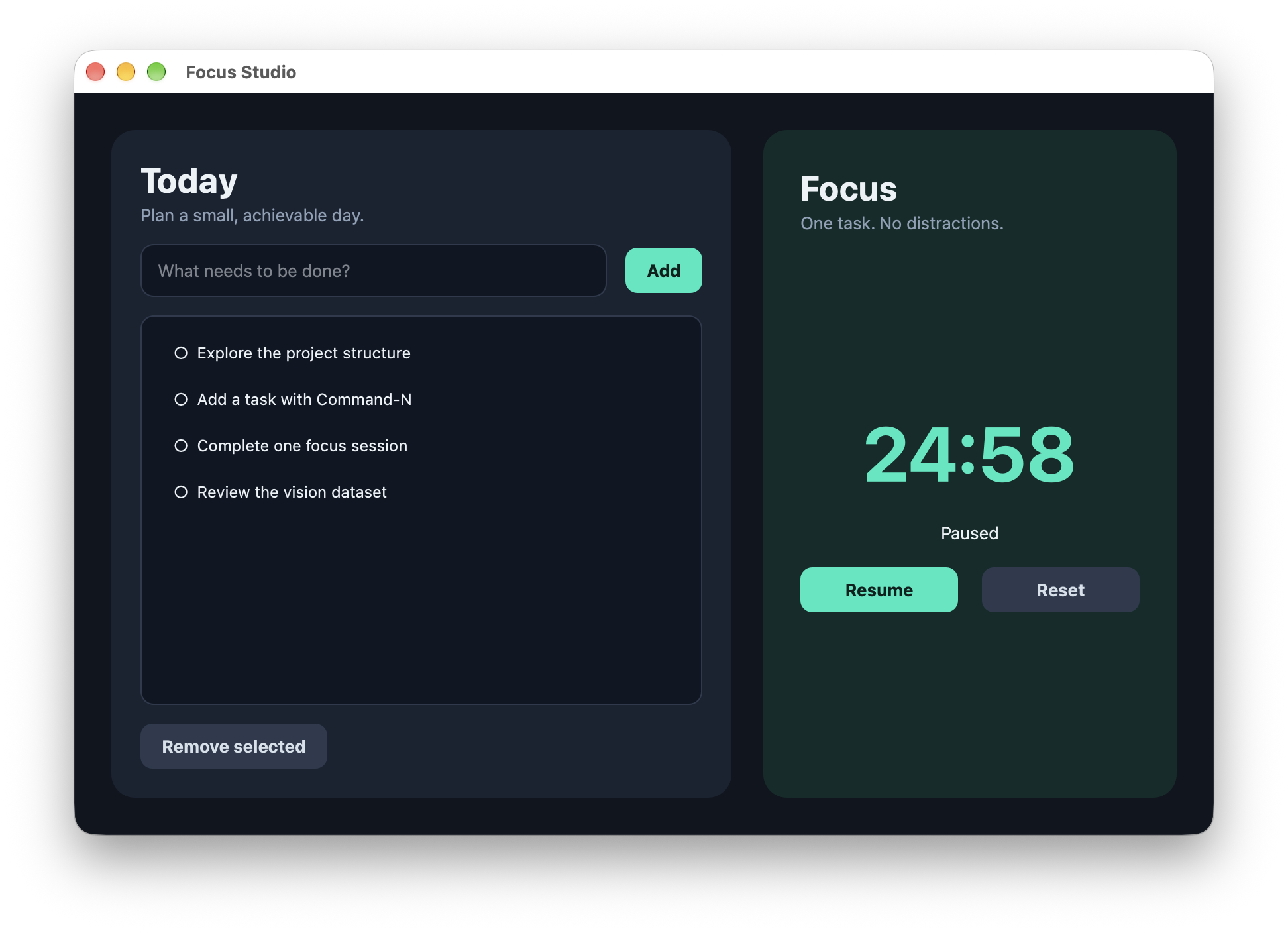 Open the screenshot to view it at full size.
5. Tidy up
- Click the demonstration task once.
- Click Remove selected.
Removal happens immediately, with no confirmation and no undo.
What is kept
The program stores the task titles and their completion state in tasks.json
beside the example, so the list survives quitting and running it again. Keep that
file when you copy or back up the project. The timer's remaining value is not
saved.