Start with a short project
Personal Greeting, Guess the Number, Python Quiz, Expense Tracker and Grade Analysis are small enough to read in a sitting, and each one ships with tests.
Write your first project →Python Editor for Mac
Twelve worked projects, a six-lesson course and an AI assistant ship with the app, and Python and the common libraries are already inside. When the work grows, search, tests, previews and Git are in the same window.
Free. All app features unlocked. No app subscription. Also on the Mac App Store.
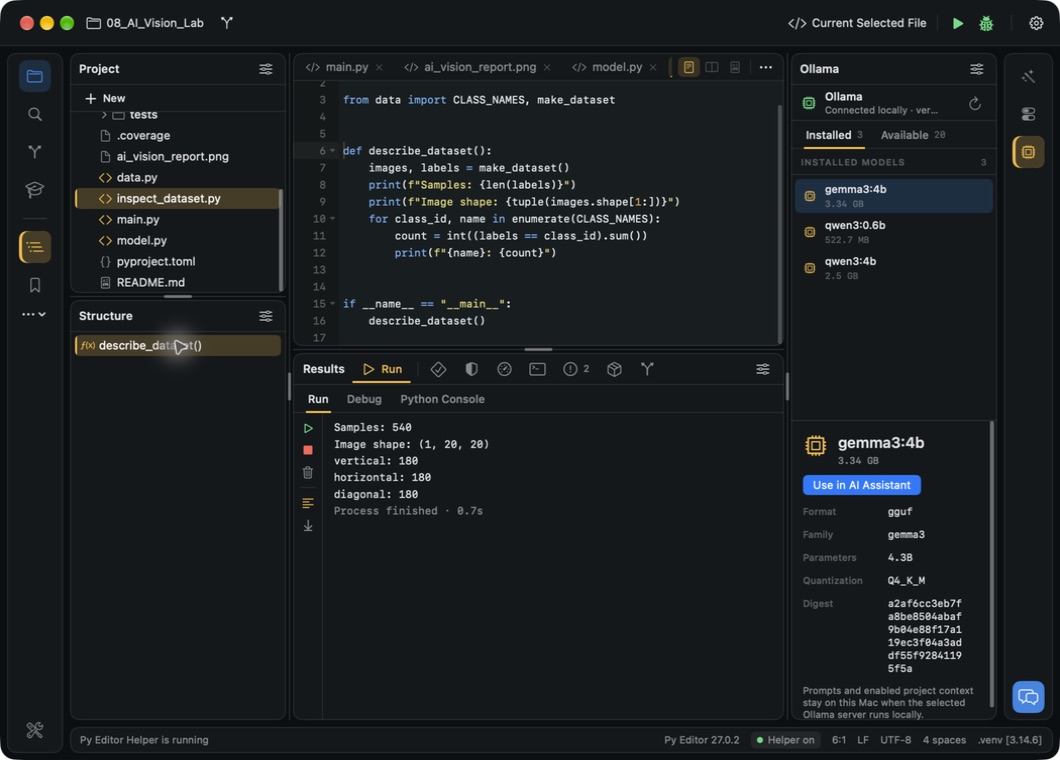
The Mac tools shown here are included in the free Mac download. App Store features and purchases are listed separately.
Twelve projects, already installed
Open a bundled project from the launcher, read it, change a part and run it again. Seven of the twelve use only the standard library, so they run as soon as the app is installed.
Personal Greeting, Guess the Number, Python Quiz, Expense Tracker and Grade Analysis are small enough to read in a sitting, and each one ships with tests.
Write your first project →Mac Desktop Studio builds Focus Studio, a task list and 25-minute timer, with PySide6. It needs the free Helper and a project environment.
Run the desktop example →AI Vision Lab generates its own images, trains a small PyTorch model and writes a report. It needs the free Helper and a package download of a few hundred megabytes.
Run AI Vision Lab →The Learn panel holds a six-lesson Python course, eight example scripts, seven short guides and a 31-chapter Python book.
See the learning material →Edit with the project in view
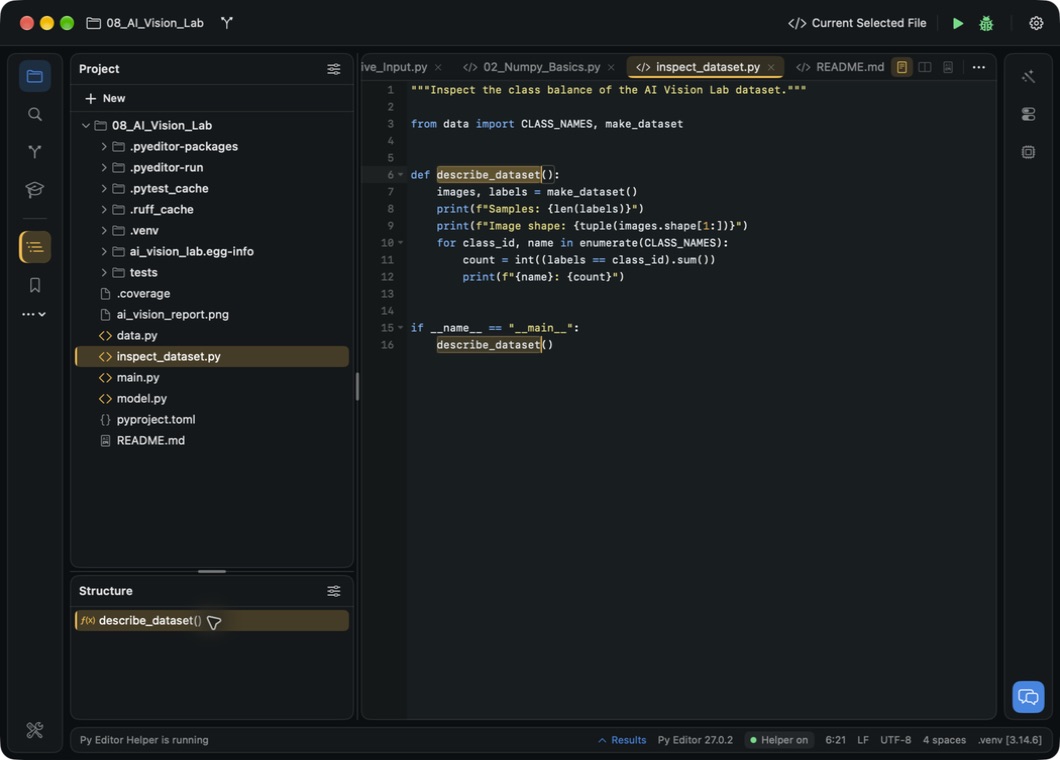
Search across your files and use source structure to jump to the part you need. Mark a place with a bookmark so you can return to it.
Use multiple selections and column editing for repeated names, values or prefixes.
Fold functions, use completion and choose the syntax colours that work for you.
Made for working on a Mac
Keep project navigation on the left, execution results below and assistance on the right. Open the panels you need for the task, then move or hide them.
Open projects in separate windows or detach a tool panel when you need more room.
Choose a theme, pick a keymap you already know and set project preferences.
Run, inspect and test
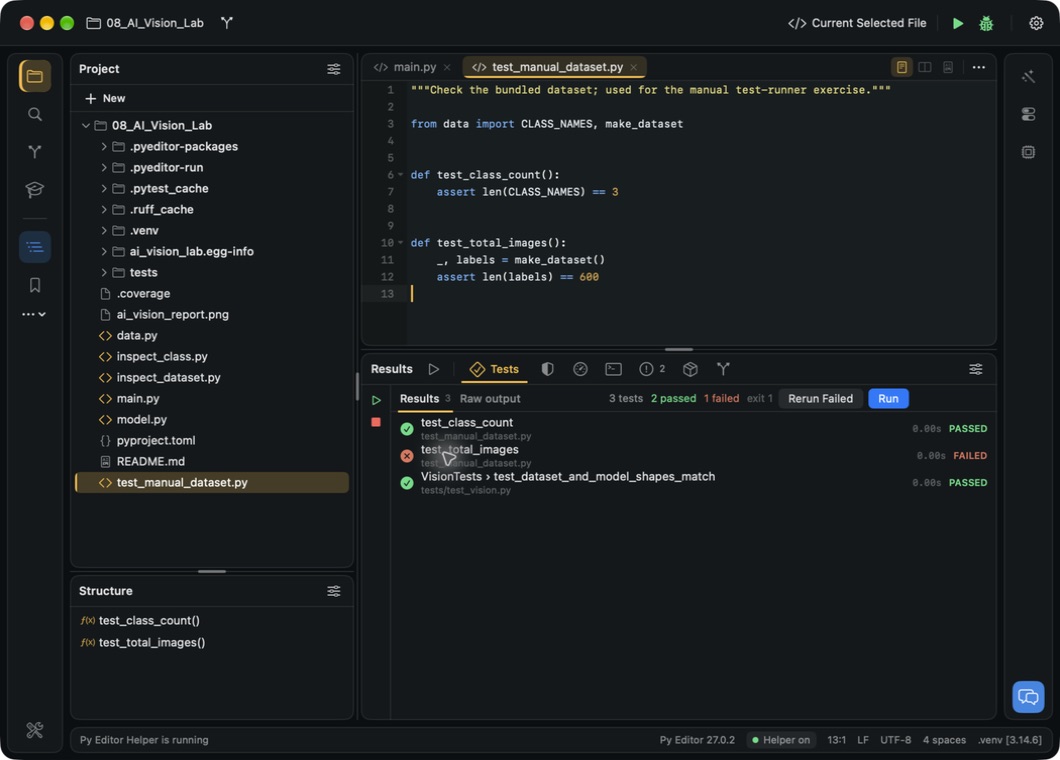
Run a script and read its output. Explore objects in Python Console or open Terminal for a shell command. When a test fails, inspect the assertion and return to the source.
Run your tests, read failures and rerun the failed cases after an edit.
Use coverage reports to find untested code and the profiler to inspect call counts and execution time.
Git, the Terminal, the Python Console, debugging, packages and the profiler need the free Helper, a separate download. Examples also need project dependencies. Follow the setup guide.
When output is not enough
Use breakpoints and interactive debugging to look at values and follow execution.
Debugging needs the free Helper. The debugging guide covers breakpoints, stepping and inspecting values.
Keep the project organised
Inspect local differences, create commits and review history. Use a branch to keep a line of work separate.
Follow the Git workflow →Save copies and read a side-by-side diff of an earlier save. Copy what you need back into the file yourself.
Explore files and history →Preview Markdown, HTML, SVG and saved notebook results while you work on the project.
Explore document previews →Select an interpreter and prepare a project environment with its own dependencies.
Set up a project environment →Save the arguments, environment variables and working folder your script needs.
Configure a run →Inspect project packages and search their details when you need to check a dependency.
Explore the package panel →An assistant beside your source
Ask for an explanation of selected code or help with an error. Keep the reply visible while you decide what to change and test.
Use your own account with a supported AI service, a local Ollama model or Apple Intelligence on supported Macs.
Provider accounts and charges are separate. Local models need Ollama and a model installed.
Find your AI options →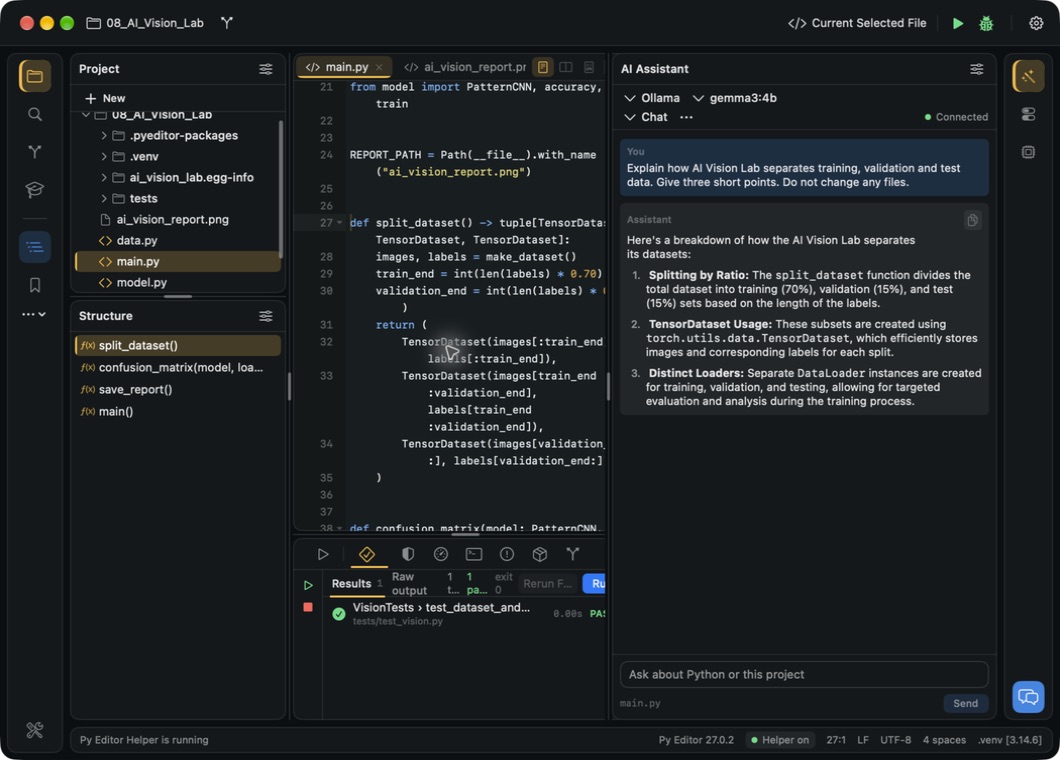
Learning material inside the app
Click Learn in the left rail. The lessons, scripts and guides open as editor tabs; the Python book opens in its own window.
Six lessons on output and variables, conditions, loops, functions, collections, and files and errors. Mark each one complete as you go.
See how lessons work →Eight single-file scripts, from Getting Started to NumPy, pandas, web requests and web scraping. Open one, change its inputs and run it.
Open an example script →31 chapters of general Python material, with search, in a separate window. Some later chapters use libraries that are not bundled.
Read the Python book →Free. All app features unlocked. No app subscription.